Oticon Companion
- 4.1
- Rating
- 1.00M
- Installs
- Free
- Price

 Analysis by App-foxy
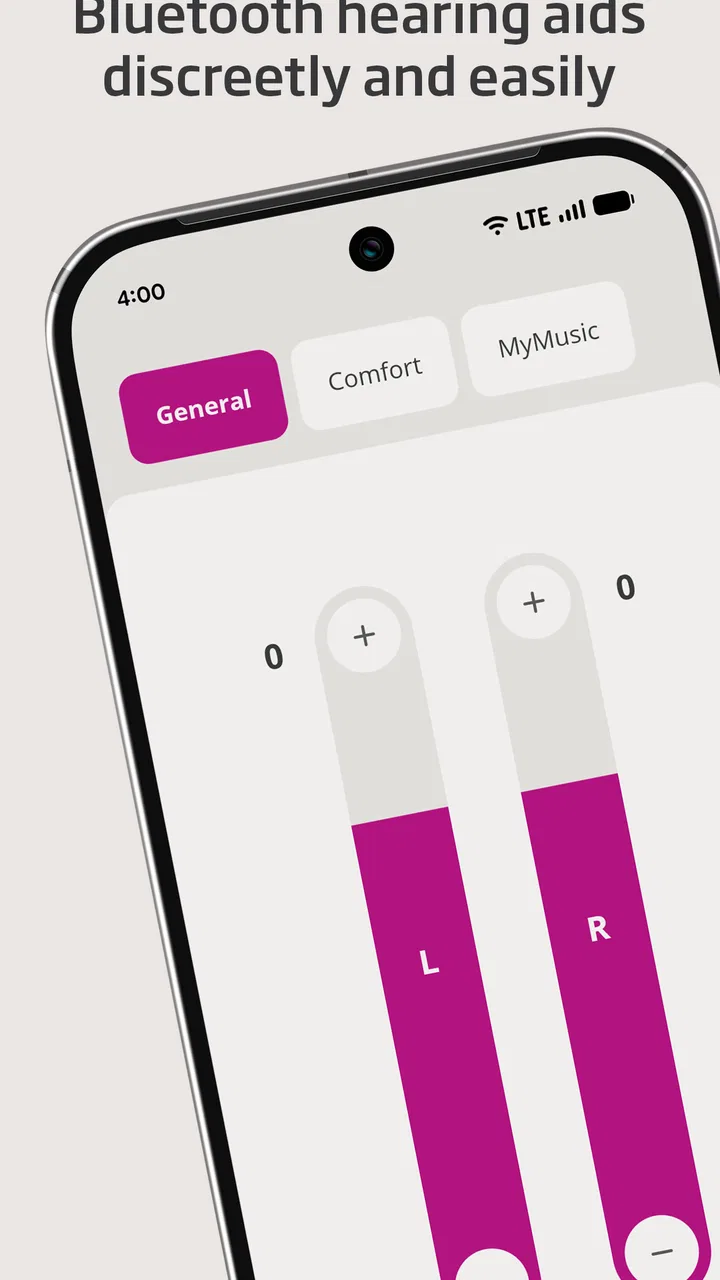
When a hearing aid is working well, I do not want to think about it constantly. I want to adjust it quickly, check what is happening, and get on with the conversation, commute, meal, or television program in front of me. That is the role Oticon Companion tries to fill: it is a medical app from Oticon A/S that gives compatible hearing-aid users a discreet way to manage everyday listening from a phone.
My first impression is that it is most useful when treated as a practical remote control rather than as a complete replacement for professional hearing care. The appeal arrives quickly because the phone is already familiar. Instead of reaching for the hearing aids or asking someone nearby for help, I can make an adjustment with a few taps. That convenience matters most in changing environments, where a setting that felt comfortable at home may not suit a busy street or a group conversation.
The app is free and available for Everyone, which makes trying it relatively straightforward for people who already use compatible Oticon hearing aids. It has reached over a million installs and holds a 4.3 average from around fourteen thousand ratings, so it is clearly being used beyond a small group of early adopters. The current version is 1.7.0, and it runs on Android 8.0 or later.
You May Also Like

 Blood Strike: 2.5 Anniversary
Blood Strike’s Loadouts Turn Every Drop Into a Tactical Gamble
A close look at Blood Strike’s custom loadouts: how fast access to signature weapons reshapes its battle royale rhythm, rewards preparation, and narrows the gap between fights.

 Pandora - Music & Podcasts
Pandora’s Music Is Easy to Start, but Harder to Recover
Pandora’s strength is its low-effort path from a seed to a station. Its weak spot is how much confidence it asks you to place in connection, setup, and quiet recovery.

 8 Ball Pool
 Is Built on Rivalries, Rematches, and Routine
A close look at the rivalries, rematches, shared routines, and unanswered safety questions that turn a quick pool match into a persistent mobile community.

 Samsung Music
’s Quiet Strength Is Playing What You Already Own
Its reach comes less from spectacle than from dependable access to a personal library. That simplicity is both the app’s strongest retention engine and its ceiling.

 AccuWeather: Weather Radar
AccuWeather Review: A Quick, Clear Forecast for Everyday Decisions
For everyday plans, the best forecast is the one you can understand quickly. AccuWeather makes rain timing, radar, and local conditions easy to act on, with a few trade-offs.

 Hill Climb Racing
Why Hill Climb Racing Still Turns Crashes Into One More Run
A tiny car, a bumpy hill and one more upgrade: Hill Climb Racing keeps resurfacing because its simple chaos makes every near-miss feel personal.
More From Our News Desk



What feels useful during the first week
The strongest early benefit is discretion. A hearing-aid adjustment can be a private action instead of a visible interruption. In a café, for example, I can make a small change while keeping the conversation moving. That is less awkward than taking out a hearing aid, pressing several physical controls, and trying to remember which direction changes the volume.
I also like the idea of keeping control in one place. Phones are easier to see than tiny hearing-aid buttons, especially for users with limited dexterity or reduced vision. The larger screen can make a simple change feel less like guesswork. For someone who is still learning how their hearing aids respond, this can reduce the hesitation that often leads people to leave an uncomfortable setting unchanged.
A realistic first-week routine might look like this: I leave home with a comfortable setting, enter a noisy shop, notice that speech is getting lost, and use the phone to make a modest adjustment. Later, when I return to a quieter room, I change it back. The value is not that the app magically fixes every difficult listening situation. The value is that it lowers the effort needed to respond to the situation.
That distinction is important. Hearing aids are not ordinary wireless earbuds, and this is not simply a music-control application. The result depends on the hearing aids being compatible, correctly fitted, and already configured for the user. If the underlying fitting is wrong, an app can make adjustments easier, but it cannot turn an unsuitable fitting into a perfect one.
Where the phone becomes genuinely helpful
I find the app most convincing for users who move between predictable environments during the day. A quiet bedroom, a workplace, public transport, a restaurant, and a family gathering can all place different demands on hearing. The option to manage the aids from a familiar device makes those transitions feel less disruptive.
It can also help a family member support someone without taking over the hearing aids directly. A user may be more comfortable making their own changes while a relative explains what to try. That preserves independence, which is more valuable than it may sound. The best assistive technology is often the technology that lets a person participate without announcing that assistance is happening.
There is a learning curve, though. During the first few days, I would expect to spend time discovering which adjustments are genuinely useful and which are merely tempting. It is easy to keep changing settings because the controls are available. That can make listening feel like a technical project instead of a normal part of the day.
My advice is to start with small changes and observe the result for a while. If a setting helps in one room but makes another situation worse, that is useful information to discuss with a hearing professional. Constantly chasing a perfect sound through the phone can become tiring, especially when the real issue is the hearing-aid fitting or the acoustic environment.
How it compares with the usual alternatives
The obvious alternative is using the controls on the hearing aids themselves. Physical controls can be faster when the phone is out of reach, the battery is low, or I do not want another screen involved. They also work without requiring me to unlock a device and navigate an interface. For quick changes, that simplicity still has a place.
The phone-based approach is better when visibility and precision matter. A screen can make it easier to understand what I am changing, and it is more convenient when the hearing aids are difficult to reach. Compared with asking another person to adjust them, the app is more private and gives the user more control.
It is not the same as visiting an audiologist. Professional care remains the better option for persistent discomfort, unclear speech, uneven hearing between ears, or a setting that never feels right. Nor is it necessarily the best choice for someone who dislikes managing technology. If a user rarely carries a smartphone, has difficulty keeping it charged, or prefers physical controls, the app may add friction rather than remove it.
Why the value can last beyond the novelty
After the first week, the question changes from “Can I control my hearing aids with this?” to “Will I still use it next month?” In my view, the answer depends on whether the app becomes part of a simple routine. If I use it only to experiment, the novelty will fade. If I use it during recurring transitions—leaving home, arriving at work, sitting in a restaurant, or settling down to watch television—it has a better chance of earning a permanent place on my phone.
The recurring value comes from reducing small annoyances. A single adjustment is not dramatic, but repeated moments of unnecessary effort add up. Being able to respond without removing the aids, searching for a tiny control, or interrupting a conversation can make hearing support feel more integrated into daily life.
I would not judge the app by how often I open it. A good control app may be successful precisely because it disappears into the background. I might open it for a particular situation, make a change, and close it immediately. That is more meaningful than browsing through it every day without a clear reason.
Useful habits for month-to-month use
One practical habit is to notice patterns rather than reacting to every isolated moment. If restaurants are consistently difficult, I would make a note of what happens: background music, distance from the speaker, a large group, or a particular seating position. The app can help me make an immediate adjustment, but the pattern may also reveal a need for a professional review or a different listening strategy.
Another useful habit is to avoid making several changes at once. If I alter multiple controls and the result improves, I may not know which change helped. Small, deliberate adjustments are easier to remember and repeat. This matters for users who want reliable behavior rather than a different experiment every time they enter a noisy room.
I would also keep the app in a place that is easy to reach, not buried among rarely used applications. That sounds minor, but accessibility depends on the whole workflow. If finding the app takes too long, I am more likely to ignore an uncomfortable setting. The best setup is the one that makes the useful action almost automatic.
There is a trade-off between control and attention. The more often I check the phone, the more likely I am to focus on settings instead of people. In a conversation, the app should support participation, not become another distraction. I would make the adjustment, put the phone away, and judge the result through the interaction rather than through endless tweaking.
Maintenance is light, but not invisible
The app itself is not a substitute for maintaining the hearing aids. I still need to keep the devices in good condition, make sure they are ready for use, and pay attention to how they perform over time. A phone interface can make control easier, but it cannot remove the ordinary responsibilities that come with wearing hearing technology.
There is also a maintenance habit on the phone side. I need to keep the app available, ensure the phone is usable when I need it, and remember that a phone is an extra link in the chain. If the phone is unavailable, the hearing aids do not suddenly become useless, but the convenience of remote control is no longer there. That is why I would learn the physical controls as well instead of relying entirely on the application.
For older phones, the minimum operating-system requirement is Android 8.0. That is reasonably accommodating for many users, but anyone holding on to a much older device should check compatibility before building a routine around it. The important point is not just installation; the phone needs to be comfortable enough to use, with a screen and controls the user can manage confidently.
I would also treat updates as part of normal upkeep. The listed version is 1.7.0, and keeping software current is sensible when an app is used to control medical hardware. At the same time, updates can occasionally change the way an interface feels. A user who depends on a particular workflow may need a brief adjustment period after updating, especially if they already find smartphone navigation demanding.
Where fatigue can appear
The first source of fatigue is decision-making. Hearing can vary from room to room, but not every variation requires a manual response. If I feel responsible for correcting every sound, I can end up monitoring the app more than the environment. That is not a failure unique to this product; it is a risk of putting many controls within easy reach.
The second is social attention. Looking down at a phone during a conversation may be discreet from the perspective of hearing-aid control, but it can still look like distraction to the person speaking. I would use it briefly and explain the reason when necessary. In some situations, accepting a less-than-perfect setting may be better than repeatedly breaking eye contact.
A third issue is troubleshooting. When something feels wrong, several possibilities may be involved: the hearing-aid setting, the fit, the room, the phone connection, or the device itself. An app can make the situation feel more manageable, but it can also encourage me to assume that every problem has a software solution. That is where patience and professional advice matter.
Users who want a broad sound-customization playground may find the experience less satisfying than expected. The app’s practical strength is control in daily situations, not endless experimentation for its own sake. Conversely, users who want a simple way to make occasional adjustments may appreciate that it does not require them to become audio enthusiasts.
Who should keep it installed
I would recommend keeping it installed for Oticon hearing-aid users who regularly move through different sound environments and want more independence. It is particularly well suited to people who find tiny physical controls difficult, who value discreet adjustments, or who already use their phone confidently throughout the day.
It is also a sensible companion for someone beginning to understand their hearing needs. The app can make everyday observations easier: a setting helped in one place, another setting felt uncomfortable, or speech remained unclear despite an adjustment. Those observations can lead to a more productive conversation with a hearing professional.
I would be more cautious for someone who dislikes smartphones, rarely carries one, or wants a completely hands-off experience. The app adds another device to remember and another interface to learn. If the physical controls already meet the user’s needs, the phone may not provide enough extra value to justify changing habits.
It is also not the right answer for unresolved hearing problems. If the user experiences pain, sudden changes, persistent imbalance, or speech that remains difficult in ordinary conditions, the priority should be appropriate medical or audiological attention rather than more app adjustments. The application is a convenience layer, not a diagnosis tool.
My long-term verdict
What I like most is that the app addresses a real everyday obstacle without demanding much ceremony. It puts control closer to the user, makes adjustments less conspicuous, and can reduce the small interruptions that make hearing aids feel separate from normal life. Those benefits are modest in isolation but meaningful when they occur repeatedly.
What keeps it from being universally essential is that its usefulness depends on the hearing aids, the phone, and the user’s willingness to maintain a simple routine. Someone who expects the app to solve poor fitting, difficult acoustics, or every unclear conversation will be disappointed. Someone who sees it as a convenient control surface is more likely to appreciate it.
For me, the lasting test is whether I can use it quickly and then stop thinking about it. If it helps me move from a quiet room to a noisy one, make a sensible adjustment, and return my attention to the people around me, it has earned its space. With a free price, an Everyone rating, and a mature enough user base to show that it is not merely a novelty, it is an easy companion to try for compatible Oticon users.
My final recommendation is therefore practical rather than enthusiastic: install it if you use compatible Oticon hearing aids and want discreet control, but give yourself time to build a restrained habit. Learn the physical controls, use the app for recurring situations, and treat persistent problems as reasons to seek professional help. Used that way, Oticon Companion can remain useful long after the first-week curiosity has disappeared.
FAQs for Oticon Companion
01What is Oticon Companion and how does it work?
Oticon Companion is an advanced app designed to enhance the functionality of Oticon hearing aids. It allows users to customize their hearing experience by adjusting volume, switching programs, and accessing support features directly from their smartphone. The app connects seamlessly via Bluetooth, providing a user-friendly interface for real-time adjustments.
02Is Oticon Companion compatible with all hearing aids?
Oticon Companion is specifically designed for Oticon hearing aids. To ensure compatibility, users should verify that their hearing aid model is supported by the app. The app frequently updates to include new models, but it’s essential to check the latest compatibility list on the official Oticon website or app store description.
03What features does Oticon Companion offer for hearing aid users?
Oticon Companion offers a variety of features to enhance user experience, including volume control, program selection, and battery status monitoring. It also provides access to tutorials and troubleshooting guides. Advanced features like remote support and hearing aid finder are available, depending on the specific model and app version.
04How secure is my personal data when using Oticon Companion?
Oticon Companion prioritizes user privacy and data security. The app uses encrypted connections to protect personal information and adheres to stringent privacy policies. Users can manage data sharing preferences within the app settings, ensuring transparency and control over their personal data.
05Can I get help if I encounter issues with Oticon Companion?
Yes, Oticon Companion offers extensive support options. Users can access in-app tutorials, FAQs, and troubleshooting guides. Additionally, the app provides a direct line to customer support for personalized assistance. Regular updates and an active community forum also aid in resolving common issues.
Pros
- User-friendly interface for easy navigation.
- Wide range of personalization options.
- Seamless integration with hearing aids.
- Real-time sound adjustments available.
- Battery status alerts for convenience.
Cons
- Limited compatibility with older devices.
- Occasional connectivity issues.
- Requires frequent app updates.
- Some features need internet access.
- Not optimized for tablets.

Oticon Companion
Gallery